
DVCloud - Comprehensive CCTA analysis Workflow
Two analyses. One interactive platform.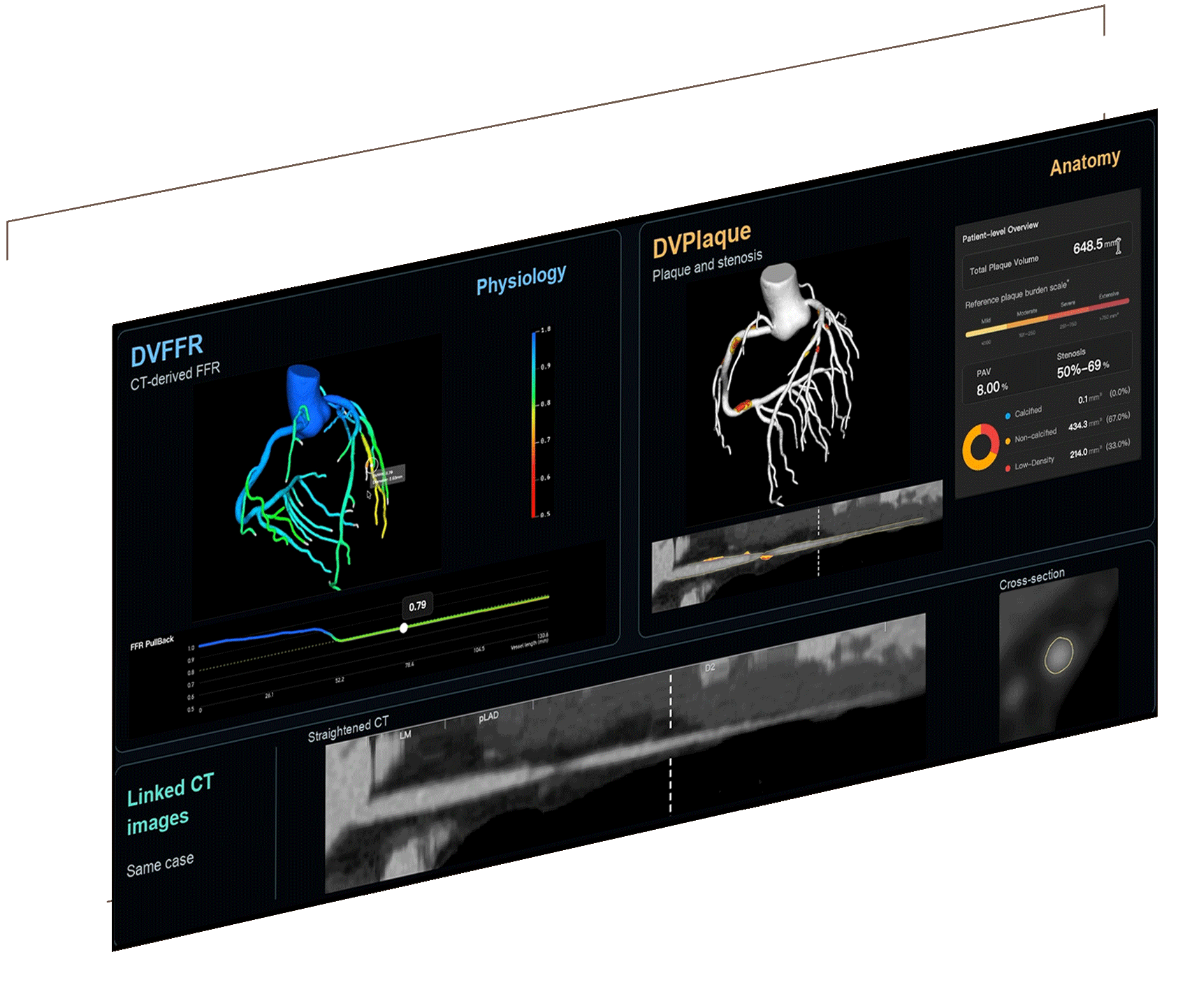
From the overview to the details that matter.
01 / cases
Start with the overview
02 / Reports
Access the analyses
02 / Viewer
Explore in context
A more complete view of CCTA findings.
01 / Stenosis
See coronary narrowing
The CardiSight overview shows coronary anatomy, plaque presence, and modeled stenosis categories.
02 / Physiology
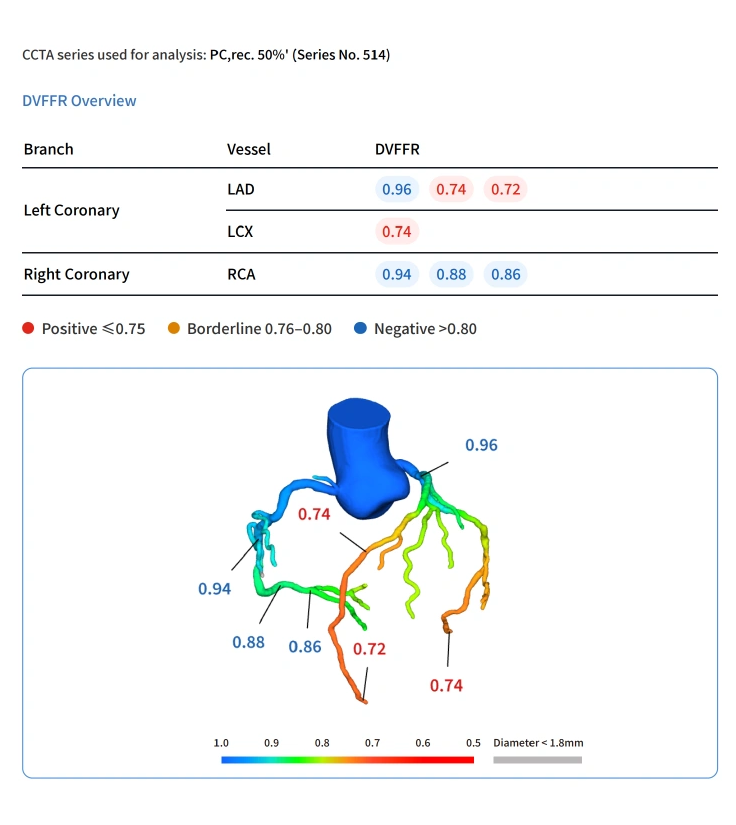
Explore CT-derived FFR
DVFFR provides branch-level FFR results and a color-coded model for physiological assessment.
02 / Plaque
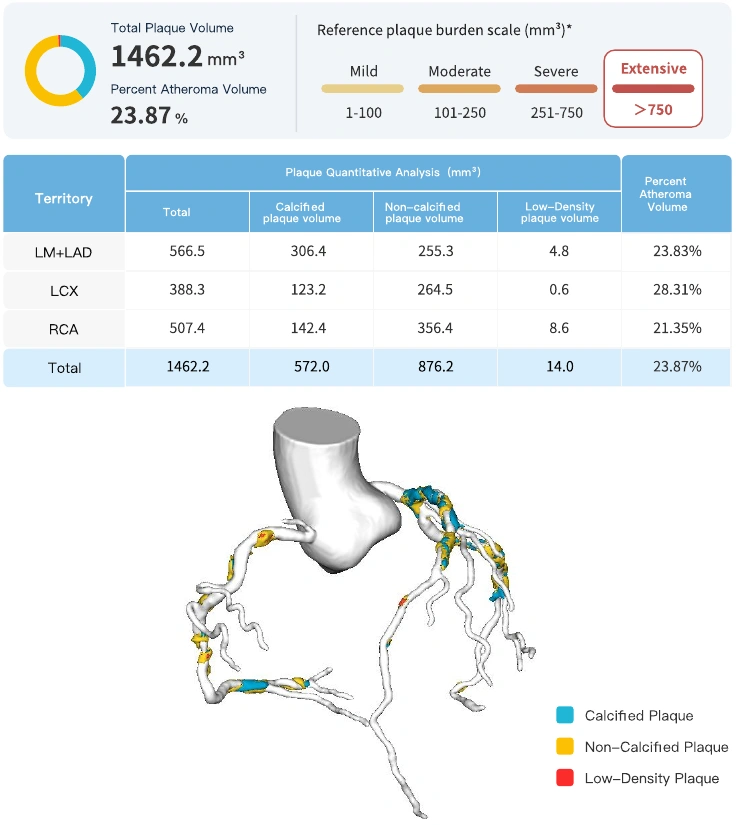
Quantify plaque
DVPlaque presents plaque volume, burden, and composition at the patient and vessel levels.

Illustrative sample reports. Report and viewer examples may show different cases. Clinical labels, values, and vessel imagery are retained from the supplied source files.
See DVCloud in action
One connected experience
See how case information, analysis reports, and interactive coronary findings come together in DVCloud.

Place FFR findings in anatomical context
Explore a color-coded coronary model alongside CT-derived FFR values and linked vessel images.
- View branch-level FFR findings
- Locate findings on the coronary model
- Connect selected locations with CT images

See plaque findings. Explore their location.
Move from a patient-level summary to vessel-level findings, with plaque measurements and visual context in the same workspace.
- Examine total plaque volume and burden
- Explore calcified, non-calcified, low-density plaque
- View coronary models and linked CT images
Reports
From coronary overview to quantitative detail.
Access visual summaries and detailed findings, organized for qualified clinicians.
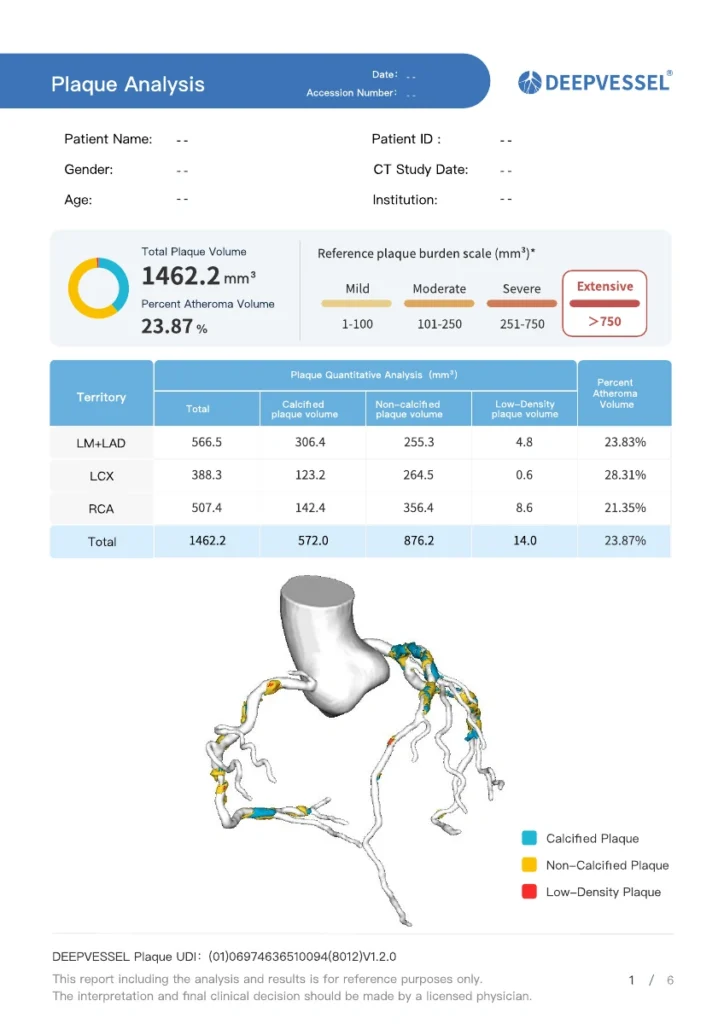
The CardiSight overview introduces coronary stenosis findings. DVFFR reports present physiological results, while DVPlaque reports provide quantitative plaque findings by coronary territory.


DEEPVESSEL FFR
DEEPVESSEL Plaque
About DVCloud
Your questions, answered.
What is DVCloud?
How does DVCloud relate to DVFFR and DVPlaque?
Can I view both reports and interactive models?
CCTA workflow in a new way.

For healthcare professionals in the United States